
The Sidekick 3’s swivel screen is held in place by a magnet. An incredibly strong magnet. In fact, it turns out, a magnet strong enough to wipe all your credit card or other magnetic strip card data in under a second.
Don’t believe it? We have the pictures to prove it.
It all started when one of us picked up our Sidekick 3 out of our bag, and found a pen clinging to the edge of it. We thought that a bit odd and wondered if the pen was magnetized. It wasn’t. Could it be the Sidekick?
To test this, we held other metal objects up to the Sidekick, and sure enough, they stuck to it as if to… well… a magnet. We then replicated it with a second Sidekick.
So we investigated further.
The Internet Patrol is completely free, and reader-supported. Your tips via CashApp, Venmo, or Paypal are appreciated! Receipts will come from ISIPP.
CashApp us

Venmo us

Paypal us

Now, if you’ve ever given a thought to how the Sidekick is able to do that cool flippy thing with its screen, well, you may have assumed, or even found, the magnet.
But I’ll bet that you never in a million years imagined that they would have used a magnet strong enough to do damage.
Well, here it is. The magnet which holds the screen closed when you shut the Sidekick 3 is at the top of the back, in the middle. In this picture it looks like a long slender hole in the middle of the top edge above the “T Mobile”, but that is actually the magnet:
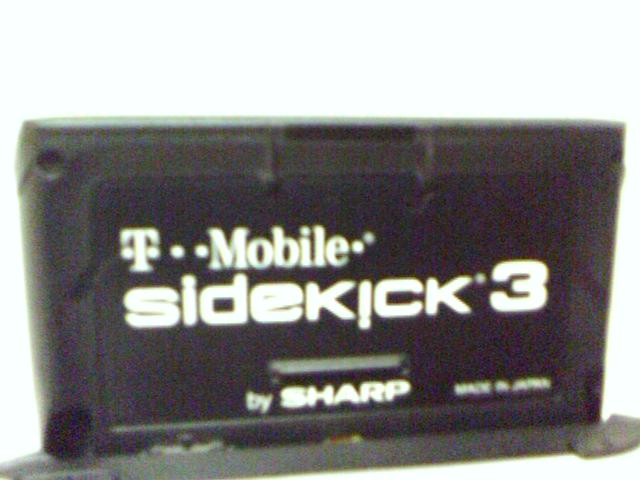
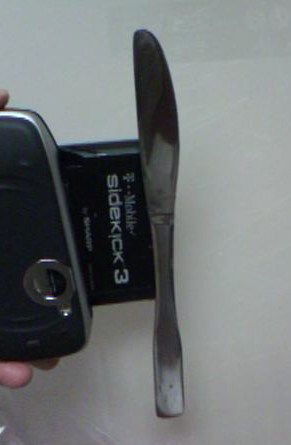
When the screen is open, the magnet is strong enough to fully suspend a regular table knife:
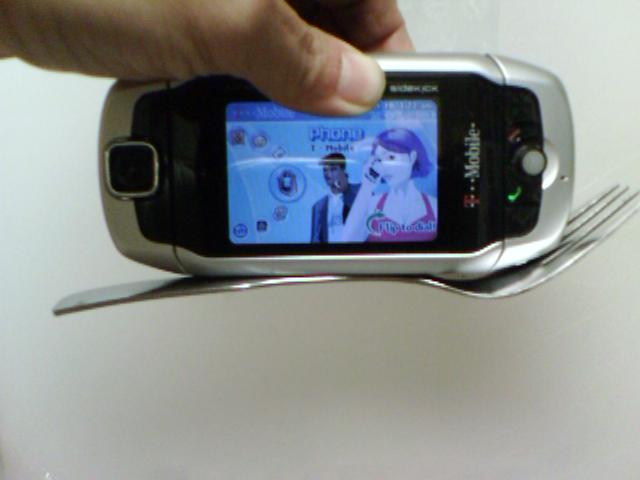
Even with the screen closed, the magnet is strong enough to suspend a fork:
Pretty horrific, eh?
Of course, most people don’t carry forks or table knives in their pockets or purses, and those few that do probably don’t care if they are exposed to a magnet.
But what do lots of people carry in their pockets and purses? That they definitely don’t want exposed to magnets?
Credit cards. Work badges. Drivers’ licenses. And anything else with a magnetic data strip on the back.
Well, as it happens, we have a credit card terminal at the office. And so we decided to really test just how much damage this thing could do to a credit card.
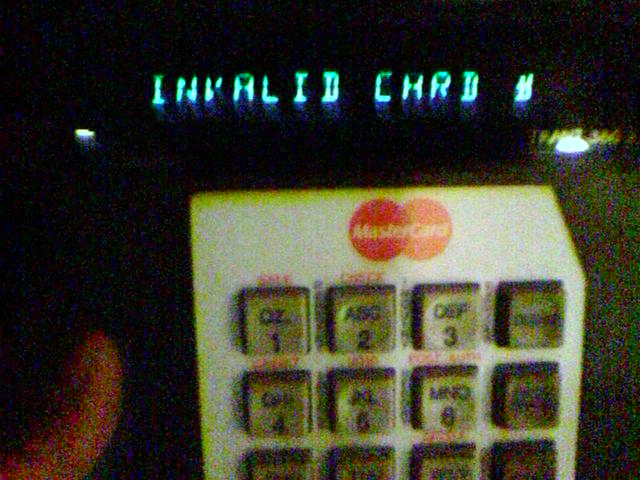
We took a cancelled card that someone happened to have laying around. First we swiped it through the terminal to demonstrate that there really was data on the card. As expected, when we tried to run a charge, we got an “invalid card #” error (because the card was expired – what, you think we’re going to sacrifice someone’s live card?). But the point is, it was able to read the card number from the data strip on the card:
Then, we exposed the card to the closed Sidekick 3 – much like would happen if you had them together in your pocket – but we exposed it for less than a second:
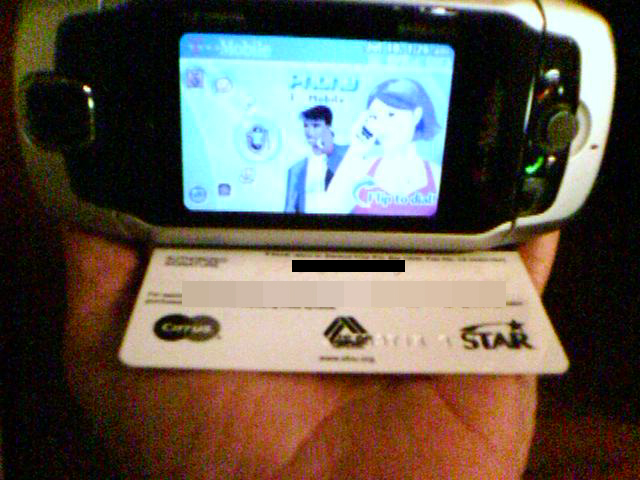
After exposing the card, we swiped it through the terminal again. Nothing. Zip. Nada. The terminal didn’t recognize it at all – it had no idea that we’d swiped a card through it (the same card it had read moments before). It just continued to expectantly flash its “I’m ready for you to do something” signal. Because all the data had been wiped off. By a split-second’s exposure to the Sidekick 3. The closed Sidekick 3.
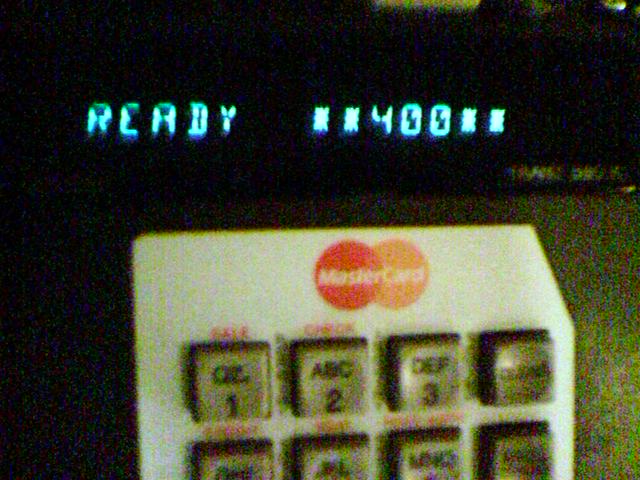
Let me repeat that:
All of the data on the credit card had been erased by a split second exposure to the Sidekick 3!
What the heck were they thinking when they designed the Sidekick 3? I mean, really. What the heck where they thinking, when they put a strong magnet in a device that people are guaranteed to be carrying in their pockets or purses along side their credit cards and other magnet-sensitive items?
This so frustrated and outraged us that we all vowed to ditch the Sidekick 3s and go out and get Treos.
After our replacement credit cards arrive, of course.
Ok, not really. We still love our Sidekick 3, and you will too! And right now you can get a Sidekick 3, plus service, with a 30-day money back guarantee, from Amazon! Check it out here!
The Internet Patrol is completely free, and reader-supported. Your tips via CashApp, Venmo, or Paypal are appreciated! Receipts will come from ISIPP.
CashApp us
Venmo us
Paypal us







http://s97.photobucket.com
/albums/l240/krazeekhmerguy
i just tried it my phone can pick up a screw driver
well the only thing my sidekick has erased is £2 off my starbucks card
lmao
although i always do pull my sidekick out my bag with many pennys stuck to it =/
you guys are fucking dumb and this is retarded so dont put a credit card my it…and no it doesnt do anything to your computer i rest my kickside on my iBook all the time
I have a sidekick 3 and LOVE IT.. but your sidekick isn’t the only thing that can erase your magnetic data.. just leaving these exposed credit cards next to ANYTHING MAGNETIC will erase this.. scratches on your magnetic stripes can ruin this too .. i.e., keys in your purse/pocket with the exposed credit cards.. why aren’t you guys using a wallet!!!!! and why would you leave your sidekick WITHOUT a CASE!?!?!?! this phone costs WAY TOO MUCH to just sling in a pants pocket or purse….
i loooooooove mythbusters! those guys are insane but in a good way
i always carry tons of stuff in my sidekick case (sk color and skII). it’s like a joke with my girlfriends wondering how much crap i can fit in there. (i’ll tell ya, it’s a lot!) makeup, money, whatever other random junk i need, cards with mag strips. nothing ever went wrong. except when i can’t get the sk out of the case cuz it’s crammed in between all that stuff. lol
obviously you wouldn’t have a free credit card laying around…
it’d be in your wallet. and most of us who have sidekicks have
them in cases so as not to scratch. I haven’t had a problem
with it yet obviously it would erase your card information…
leaving a credit card next to any cell phone is bad because
most have a magnetic force within them. like the razr. it’s
common sense.
Thats nice to know.. I just told my mom not to get a
credit card next my sk3! Thanks
Ha! There’s a magnet in sidekicks, that’s for sure. I’m not sure if it is strong enough to clear credit cards tho. Obviously I’m not about to test that, tho. I’m worried about what this could do to your brain while you’re on the phone. And what if you had a pacemaker, or any other medical device?
The only thing my phone has gotten stuck to it were bobby pins when I placed it in my purse.. I always carry it around with my card and nothing happened to it.. Yet. I once heard that the magnet on the sk2 may set off an alarm at a dept store. So if ur shoplifting.. Don’t carry a sidekick lol jk.. Never happened to me though it might also be a silly lie..
I have a Sidekick 3, and have never encountered that problem. I’ve never put a credit card in my front pocket, along with my Sidekick, or put a credit card in my front pocket for that fact, for fear of it falling out and getting lost. I know it’s hard, but sometimes you have to take your wallet in and out of your pocket to take out your credit card and put it in there! Why the hell would put your credit card against your Sidekick anyways? I sure as hell wouldn’t want a $300 phone with scratches all over my screen.
You Just control yourself not try be idot and image thier head that magnets crap credit cards that is true how big stronger u crap many time it will gone number out of it possible ! My self have been happen before I used working on biggest magnet crap with my folder wallet on it sudden a gone credit cards empty ;so, I replaced and making report new credit cards. Please don’t just do it play games or curious with magnet crap. So then,It will be waste a time! But, Sk1 and 2 still good run business network are good! Stay and watch out of away with magnets all of small to biggest one! It is up to you want test it go ahead but I warning u. Thank u for saying abt this important buying brands. However, Don’t buying used old Sk2 or Sk3 from other people may be damge lost weak magnet won’t be network enough! The end nothing more comments! Good Luck
Im not concerned, really. I dont believe it. How is that possible? Well, why would people put the credit card on sk3 anyway? It doesnt make any sense.
I hope you queers are happy with your treos, just in case you didn’t know, all sidekicks have brought a magnet
You guys are out of control here. First of all you put te credit card right against the magnet.. I can take magnets right off of my kitchen frige and it will do the same thing to a credit card.. And second of all I’m convinced that at LEAST 98% of the human population carry their credit cards and ids in a wallet so even if the wallet and sidekick are next to each other there is something in between. I’m also letting you know I’m writing this from a sidekick 3 but I might send it back and get a regular phone just because I don’t like how it feels the sd2 was much more comfortable and battery life lasted longer.. But that’s all I have to say
This is bullcrap…ever seen mythbusters? Something similiar to this was on the show and it was busted. Sorry I aint listening to this bull you’re feeding us.
it happened to my sidekick II too. it ruined one of my atm card. i tried to use knife like u show on the pic. it does hold the knife
All cell phone have magnets! My daughter got nice Motorola Pebl from Tmobile, it got strong magnet too. It nearly knocked my ear out (was wearing hearing aid), very loud buzzing.
Just keep them away from monitor, credit cards, computer hard drive, etc.
hello how are you doing im deaf guy so i want to make sure if it TRICK PEOPLE about price that say $150 for sidekick 3 if you buy 2 and you get 1 free is it true??? and is it 150.00 each mobile?? let me know ok thank you hopeful hear from you soon have nice day bye for now.
i have a motorola pebl, and when i recieved the phone, it came with a warning not to set your credit cards near it, as it will clear the data off of the credit card. [read: moto pebl held shut by four very strong magnets]
No it doesnt. I tried it on my mom and dads credit cards (lol). BTW, My computer screen is quite messed up now cause i left it above my moniter as if it were a shelf!
If the magnet is so powerful, how come it doesn’t fudge up any of the sensitive electronics inside? I also can’t seem to get even the smallest of iron washers I have to stick where you say the magnet is on mine. This is utter bullshit.
I have been keeping my SK3 next to a slim card pouch that also holds my credit cards for weeks now and have not had any problems. I am glad to know about this now though! Good to keep in mind.
“Obviously I was worried. I tried to attache several metal object as per your pictures, but NONE stuck.”
Are you sure it was a SK3, not an SK II? And are you sure that the metal objects were the kind which can be affected by a magnet? Try a paperclip, or a pen with a pocketclip.
Does your wife’s SK3 have the same magnet in the back of the screen as you can see in the above picture? It’d be great if they suddenly started shipping them without that strong magnet, but it seems highly unlikely.
Darnit, I mean I got her an SK3, silly me… I got the blackberry (8700g, which I Looooove)
I got a blackberry for my wife yesterday. Obviously I was worried. I tried to attache several metal object as per your pictures, but NONE stuck. I even called T-Mobile and they were not aware of any customer complaints for SK 3, only the Motorola Pebbl.
Have you had it for a long time? Is it perhaps an early model or beta-test version?
PS My blackberry case has a small magnet… never had any problems with my cards.
Its a double-edged sword. The sidekick can do that cool “flippy-thing”, but you have to keep it away from magnetized cards. No problem, Sidekick in front pocket, wallet in back. PROBLEM SOLVED!!!
i wonder if the credit card is in a thin wallet and the sidekick is in its case but they are both in a purse right next to each other would it still be possible to have the data erased?
Too late!!!!! My Gift, ID, Credit, Driver’s liscense, all ruined by this peice of crap. I was thinking about suing, but I didn’t want to pay a lwayer all that money if I lost……..But at least you’re letting others know about this crap.
Why do some of you act as though just because YOU don’t carry cards near your phone that no one else does? One situation I can think of, you leave a hotel room with your phone and key-card, it gets wiped, you get locked out, you get charged for a new one.
Can’t say I’m concerned. I would never have even known, since of course there isn’t room for my Sidekick and my wallet in the same pocket. And I’m not in the habit of leaving my credit cards floating loose in my pockets, where they could fall out when I’m fishing for something else. So this is pretty much a big “so what”? (Even if somebody’s credit card WAS damaged this way, cashiers could still input the numbers manually until a replacement card arrived.)
Ummm, all Sidekicks – original, color, II and III have the same magnet. As well as a warning about it in the manual.
RTFM!
The magnet on the SK3 is no where near as powerful as it would need to be to do damage. Enough said.
remind me never to store my sidekick 3 in the silverware drawer
wow ppl are really trying hard for others not to buy this phone. first, credit cards should be placed in a wallet ( thats what a wallet is made for) so the phone and the credit card should come no where near each other. & if some ppl dont have wallets to put there cards in then put your sidekick 3 in the carry case which is provided for you. its useful info, but a retarded reason to go a get a treo.
Im calling BS on this story.. dont you guys ever watch Mythbusters?
You say this like it’s a bad thing. . .
Mark, I am a happy Pal PDA user, not a Treo but I use and have used many palms before. Sure the Treo has it quirks, just like every other electronic device, but just what sort of ‘pain’ is there in using the Treo?
Just asking out of curiosity, I’m not a fanboy.
Oh, by the way, never used a Sidekick, I live in The Netherlands, and nobody uses them here. Some shopa have them, but I have NEVER seen 1 being used. Ofcourse people here have a choice of very nice and very small mobile phones, so I guess they just find it to big…
Wouldnt you have a credit card in your wallet? Not just laying around in your purse?
I want to see what would happen when you put this thing next to an ipod
Ditch the sk3 and go get treos? Knock yourselves out… you’re just trading one form of pain for another.
What about the effects of a big strong magnet on your brain. YIKES!
Kids shouldn’t have credit cards
David – we still love the Sidekick 3 (not III!( and stand by our accolades. We just wish now that it came with a lead pouch.
Gee, thanks for the accolade for the Sidekick 3(3 notIII!)last week. Having ditched my Treo for a Sidekick 3, I really will have to eat crow now.
Whatever, how incredibly stupid to produce anything that will wipe magnetic data. Glad I did not rest it on my laptop – have you checked that out yet?
I wonder when the litigation will start?!!
I tried to go to the Yahoo Tech site, which supposedly has a brand new review of the Sidekick 3, to post the URL to this site along with the warning, but the server is down. When it comes up I’ll definitely make sure they know about this!